> ## Documentation Index
> Fetch the complete documentation index at: https://we0-f8eb3f1a.mintlify.site/llms.txt
> Use this file to discover all available pages before exploring further.
# Quick Start Guide
> A six-step walkthrough from defining goals to launching and operating your first AI-built website.
**If this is your first time using We0.ai, follow these steps to complete your first experience**
**Think through four key questions:**
* Is your website for brand showcase, lead generation, or content operations?
* Who is your target audience?
* What action do you want visitors to take?
* What pages do you need?
**Common pages include:**
* Homepage
* About Us
* Products or Services
* Case Studies or Customer Results
* Blog or Content Pages
* Contact Us
**Once you're clear, click "Start Your Custom Journey" to begin filling in the questionnaire (website requirements)**
**We recommend writing your requirements as a combination of "goal + style + pages + features + conversion actions".**
> Example:\
> Targeting global high-net-worth clients, build a \[WeiLing Luxury] high-end foreign trade brand presence, emphasizing \[luxury quality and brand identity]; style: minimalist, premium, internationalized luxury; pages include \[brand homepage, product catalog, about us, inquiry page]; support multilingual, product category display; \[conversion focused on collecting contact information, online inquiries, and facilitating orders].
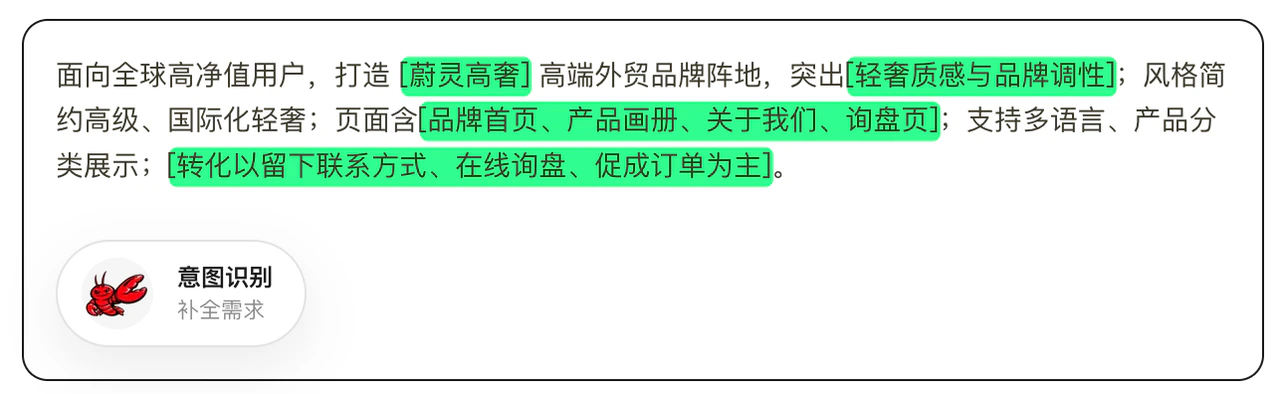 If you already have an existing website, PPT, brochures, or copy materials, we recommend organizing them first and [**using Intent Recognition**](/en/building/intent-recognition) to send them to the AI
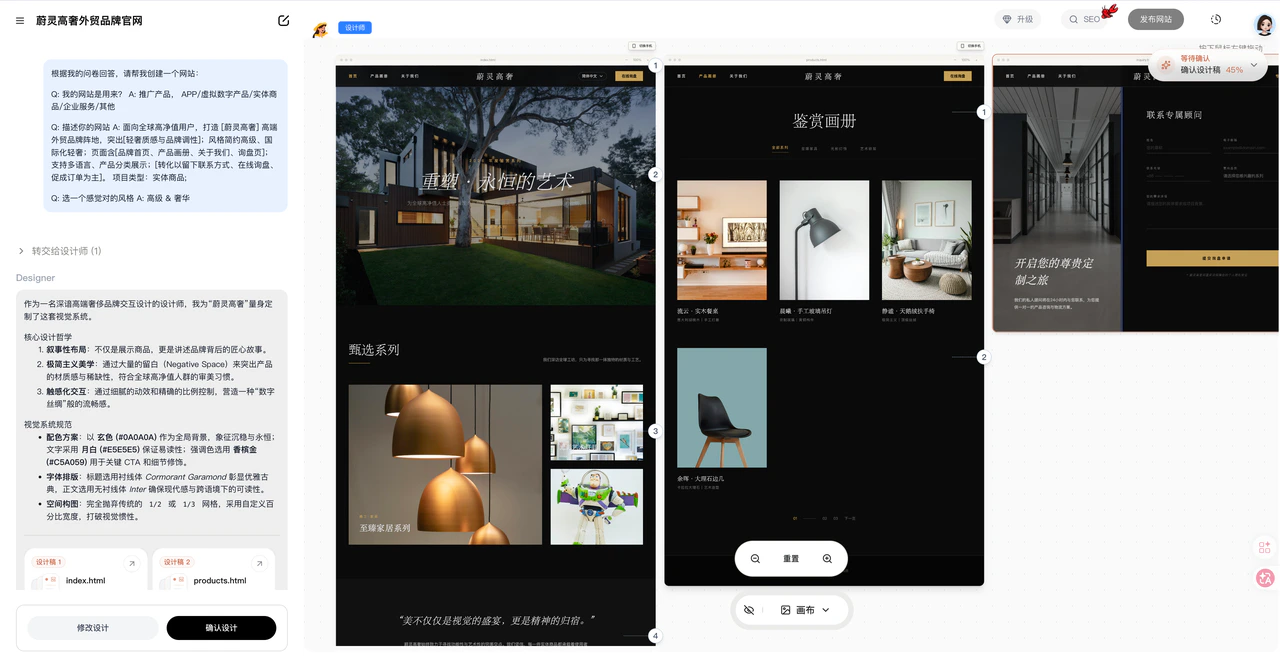
We recommend confirming the overall direction first — **don't click "Confirm Design" yet**. Make refinements in the design draft stage.
The platform will generate an initial design based on your input, typically covering:
* Website page structure (layout)
* Website functionality
* Visual direction (UI main visual)
* Basic website content
> Example: Review the overall content first, don't click confirm design yet
>
>
>
If you already have an existing website, PPT, brochures, or copy materials, we recommend organizing them first and [**using Intent Recognition**](/en/building/intent-recognition) to send them to the AI
We recommend confirming the overall direction first — **don't click "Confirm Design" yet**. Make refinements in the design draft stage.
The platform will generate an initial design based on your input, typically covering:
* Website page structure (layout)
* Website functionality
* Visual direction (UI main visual)
* Basic website content
> Example: Review the overall content first, don't click confirm design yet
>
>
>  >
At this stage, you can continue to add or modify:\\
**Add content:**
* Brand name and introduction
* Product or service descriptions
* User value and advantages
* Contact info and conversion entry points
* Additional pages (enrich your site)
* Multi-language toggle (e.g., Chinese-English)
**Modify content:**
* Page layout
* UI visual style
* Images, logo, and visual assets
* Text content
* Page responsiveness (recommend adding mobile adaptation)
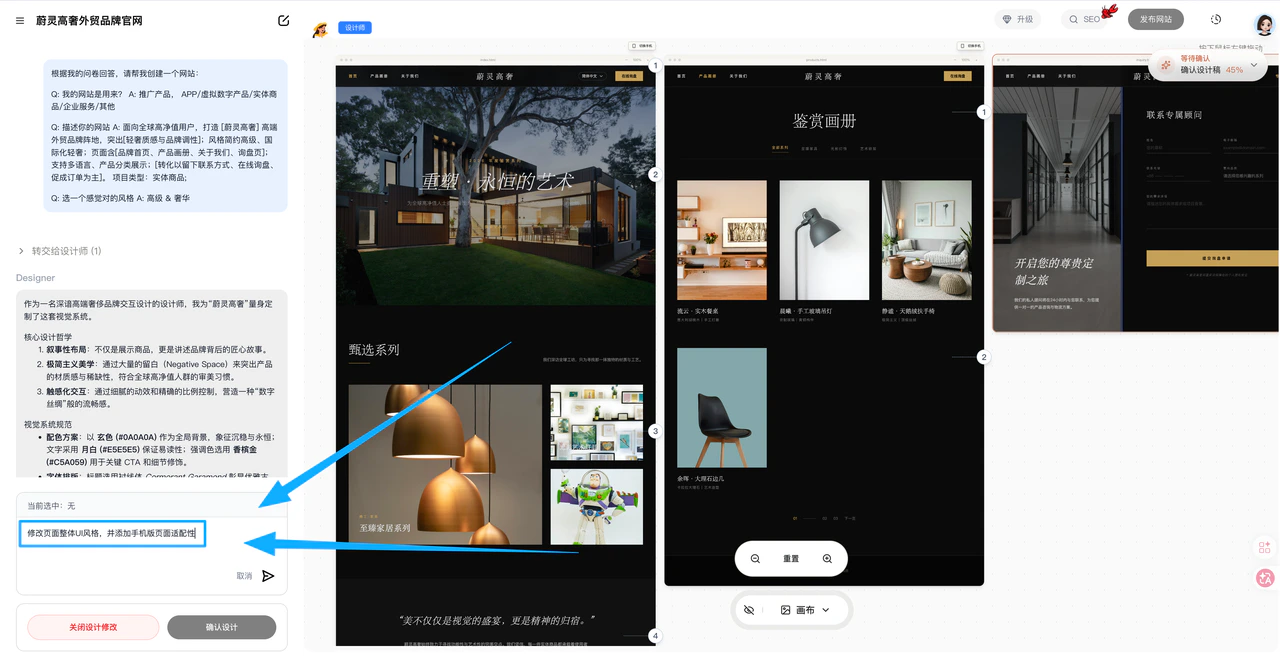
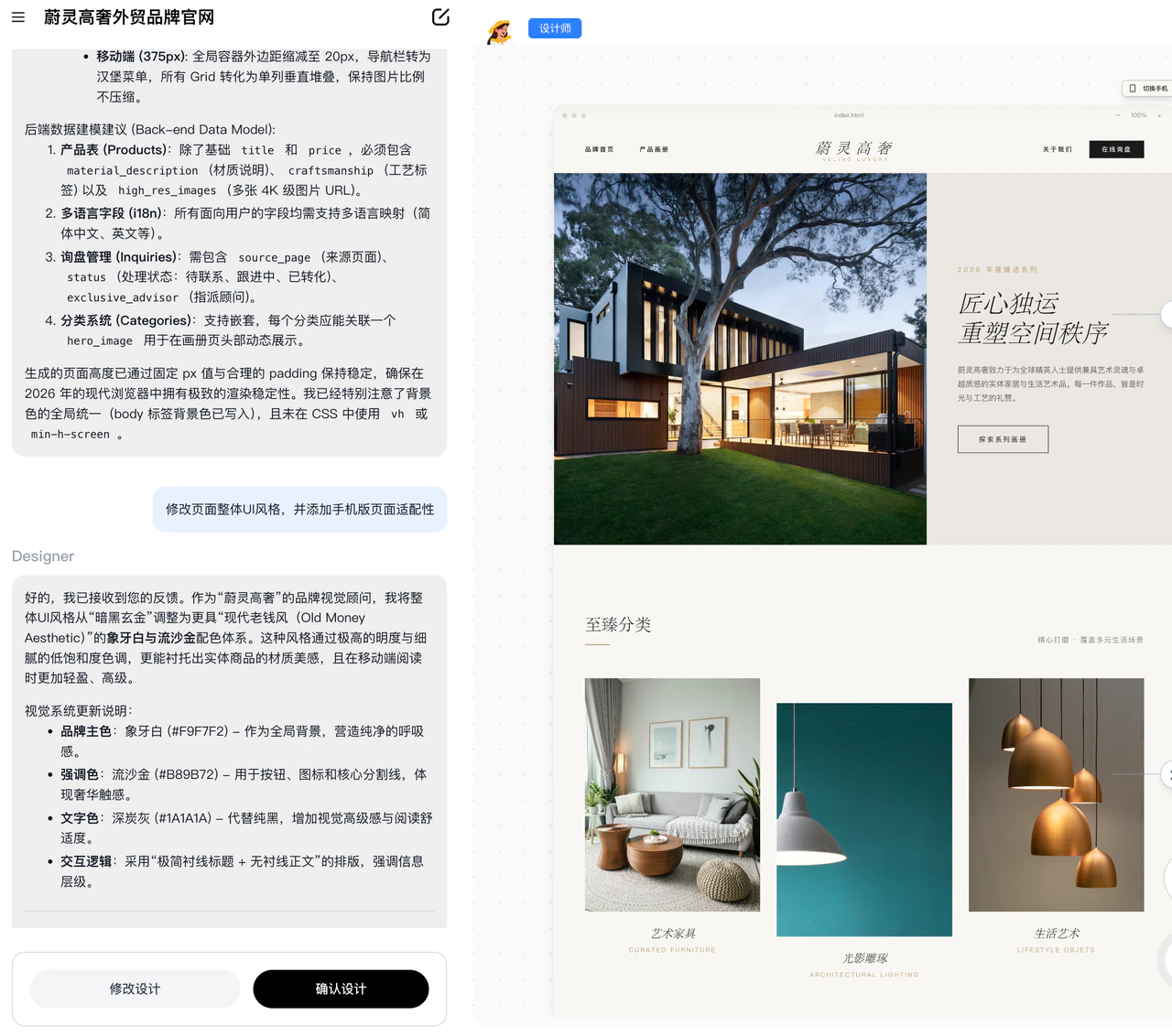
> * **Example: Click "Modify Design":** Change the overall UI style, add mobile page adaptation, add pages, enrich content, etc.
>
>
>
>
>
>
At this stage, you can continue to add or modify:\\
**Add content:**
* Brand name and introduction
* Product or service descriptions
* User value and advantages
* Contact info and conversion entry points
* Additional pages (enrich your site)
* Multi-language toggle (e.g., Chinese-English)
**Modify content:**
* Page layout
* UI visual style
* Images, logo, and visual assets
* Text content
* Page responsiveness (recommend adding mobile adaptation)
> * **Example: Click "Modify Design":** Change the overall UI style, add mobile page adaptation, add pages, enrich content, etc.
>
>
>
>
>  >
>
>
>
>
>
>
>
>
>
>
>  >
>
>
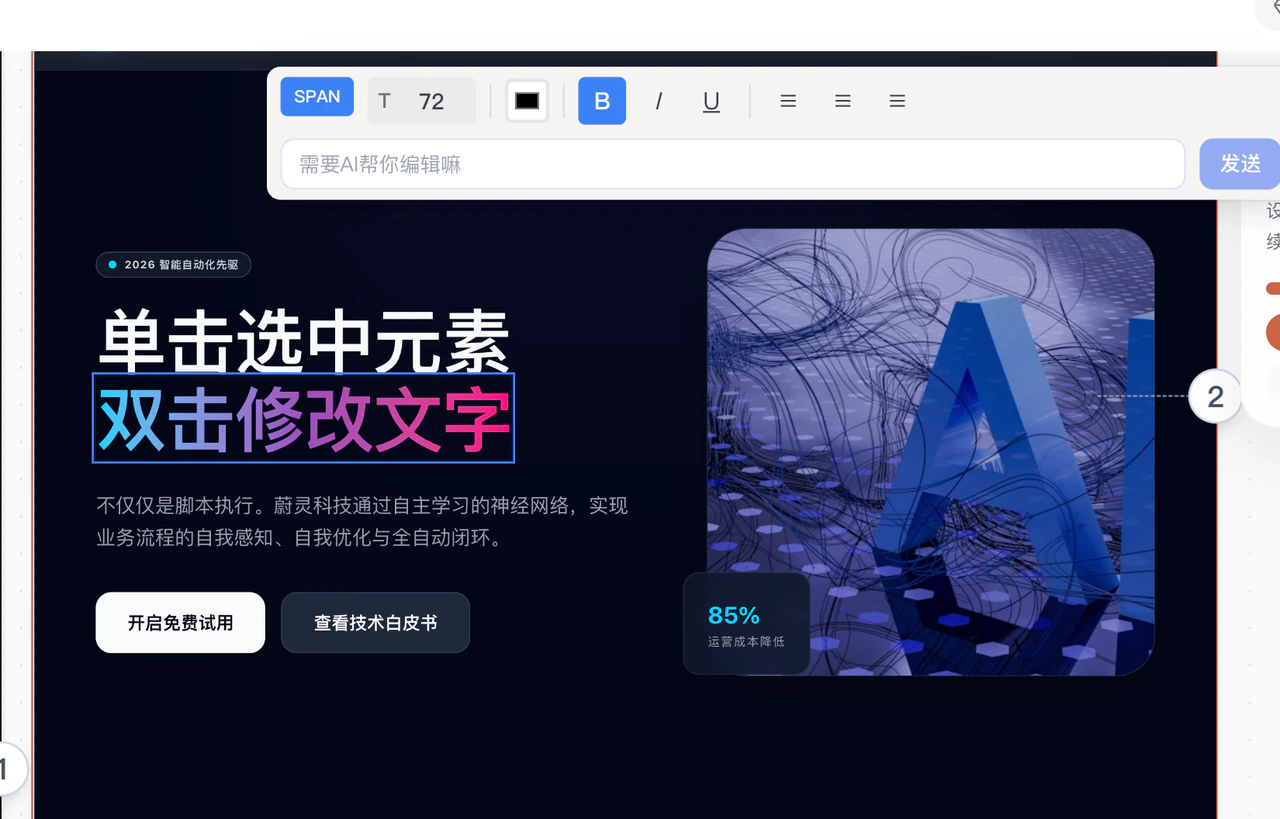
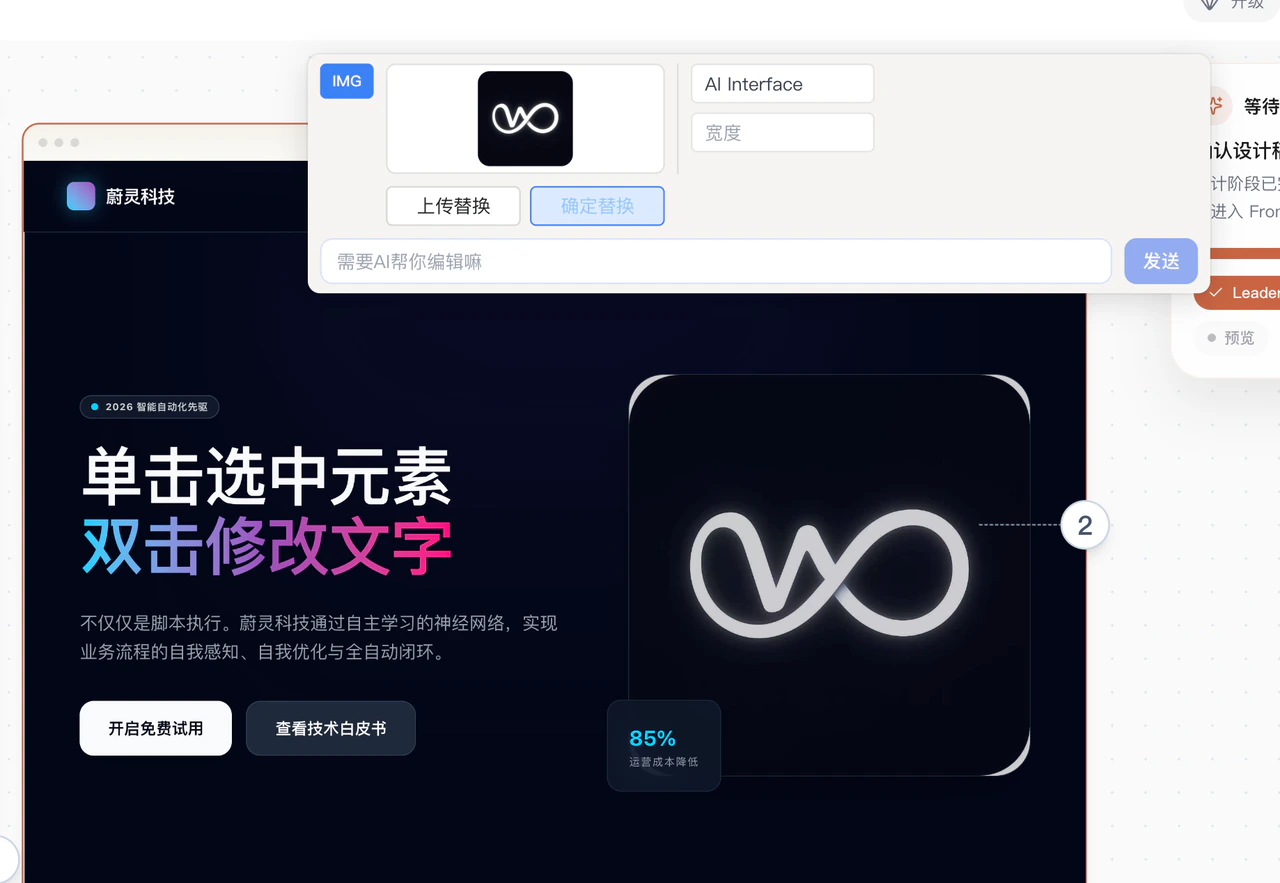
> * **Example: Click on text or images:** Edit text or images directly on the canvas, or let AI help you modify them
>
>
>
>
>
>
>
>
> * **Example: Click on text or images:** Edit text or images directly on the canvas, or let AI help you modify them
>
>
>
>
>  >
>
>
>
>
>
>
>
>
>
>
>  >
>
>
**After you're satisfied with the modifications, click "Confirm Design" to enter the preview page (takes 5-6 minutes)**
After entering the preview page, click "Configure Backend". For the first login, enter your backend username and password **(make sure to remember them)**
>
>
>
**After you're satisfied with the modifications, click "Confirm Design" to enter the preview page (takes 5-6 minutes)**
After entering the preview page, click "Configure Backend". For the first login, enter your backend username and password **(make sure to remember them)**
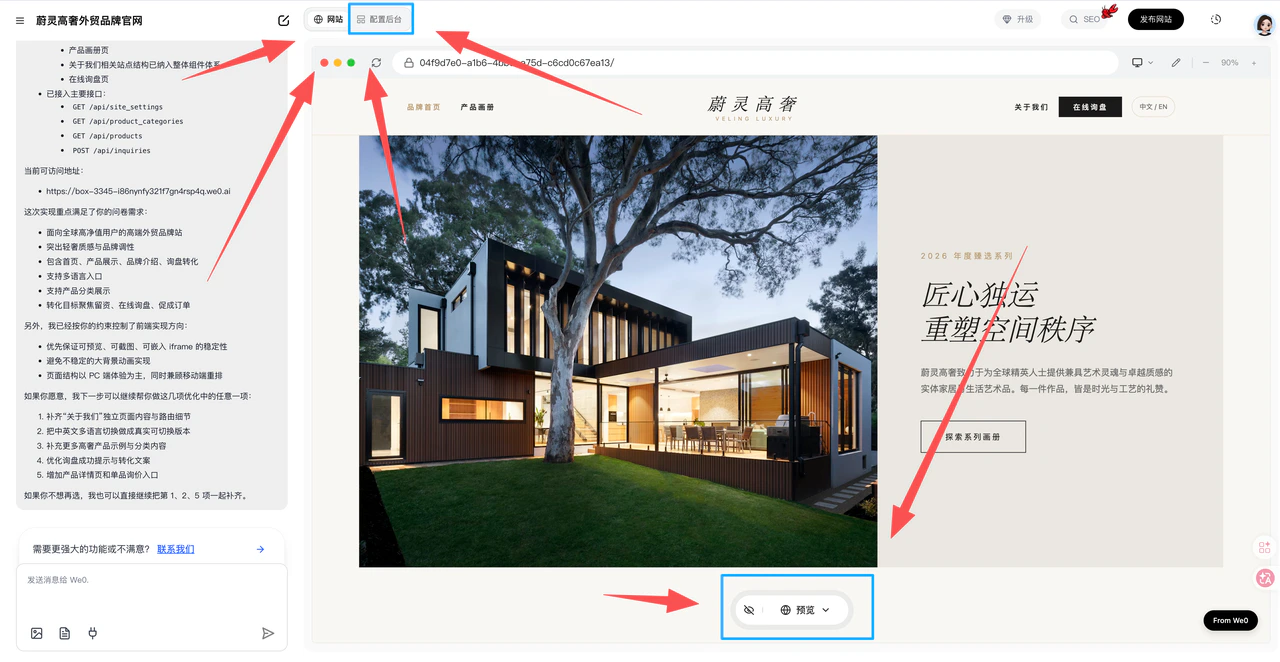
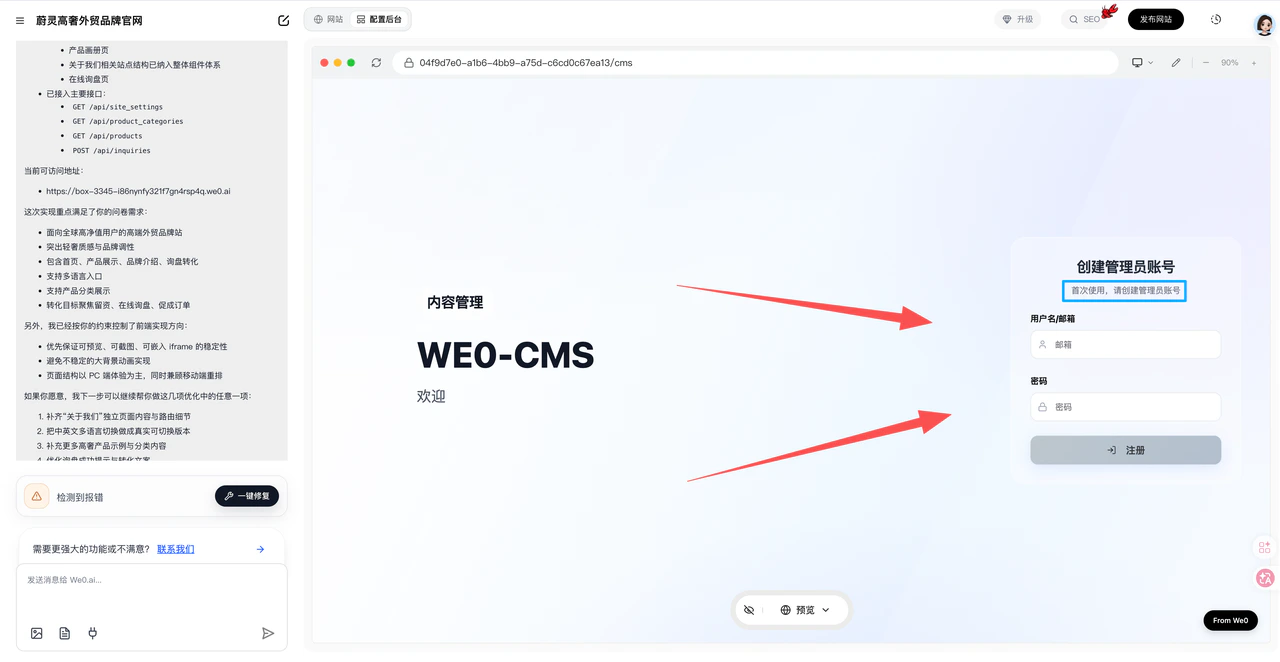 The backend will generate sections corresponding to the frontend content (e.g., products/articles/images)
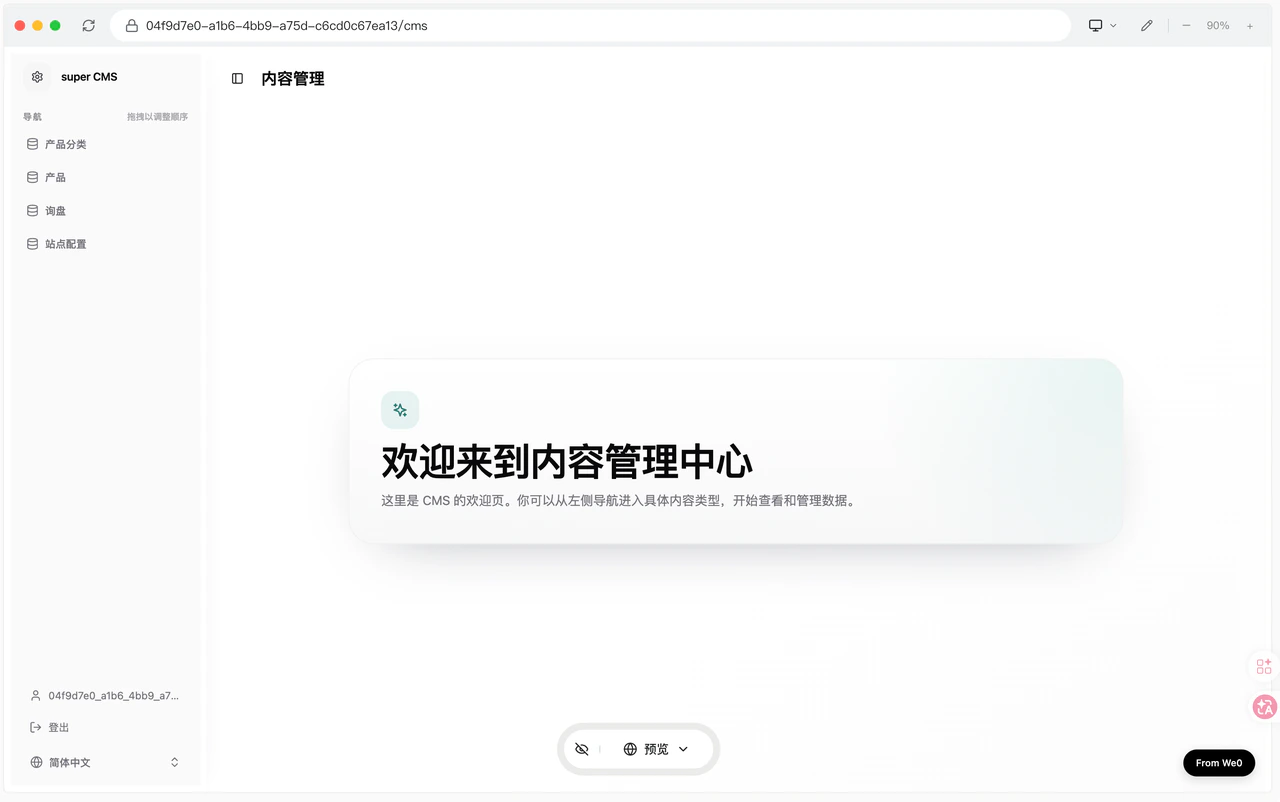
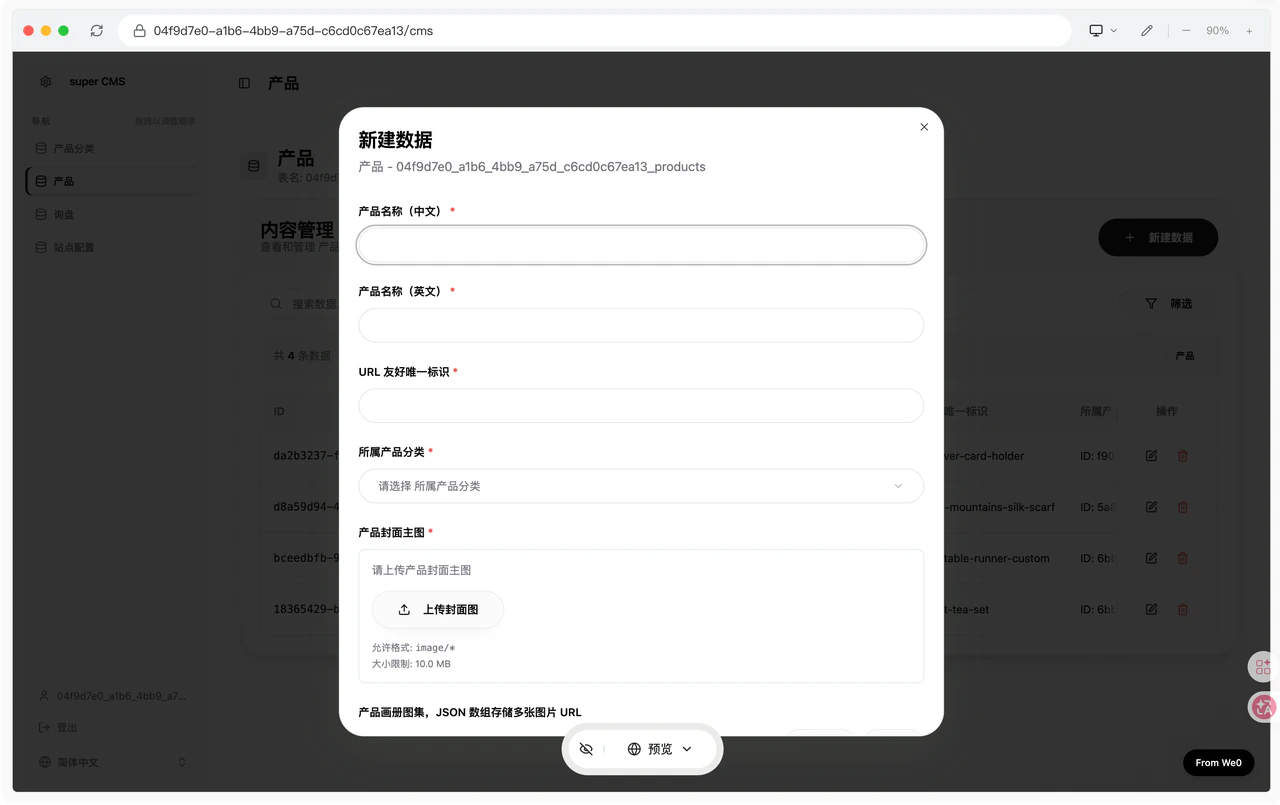 **Before going live, make sure to confirm:**
* Page content is complete
* Mobile view displays properly
* Forms, buttons, and contact info work correctly
* Page titles and descriptions are appropriate
* Backend configuration is complete
* Website is accessible
**If there are issues, use the "Magic Brush" or the chat dialog to request AI modifications**
**Before going live, make sure to confirm:**
* Page content is complete
* Mobile view displays properly
* Forms, buttons, and contact info work correctly
* Page titles and descriptions are appropriate
* Backend configuration is complete
* Website is accessible
**If there are issues, use the "Magic Brush" or the chat dialog to request AI modifications**
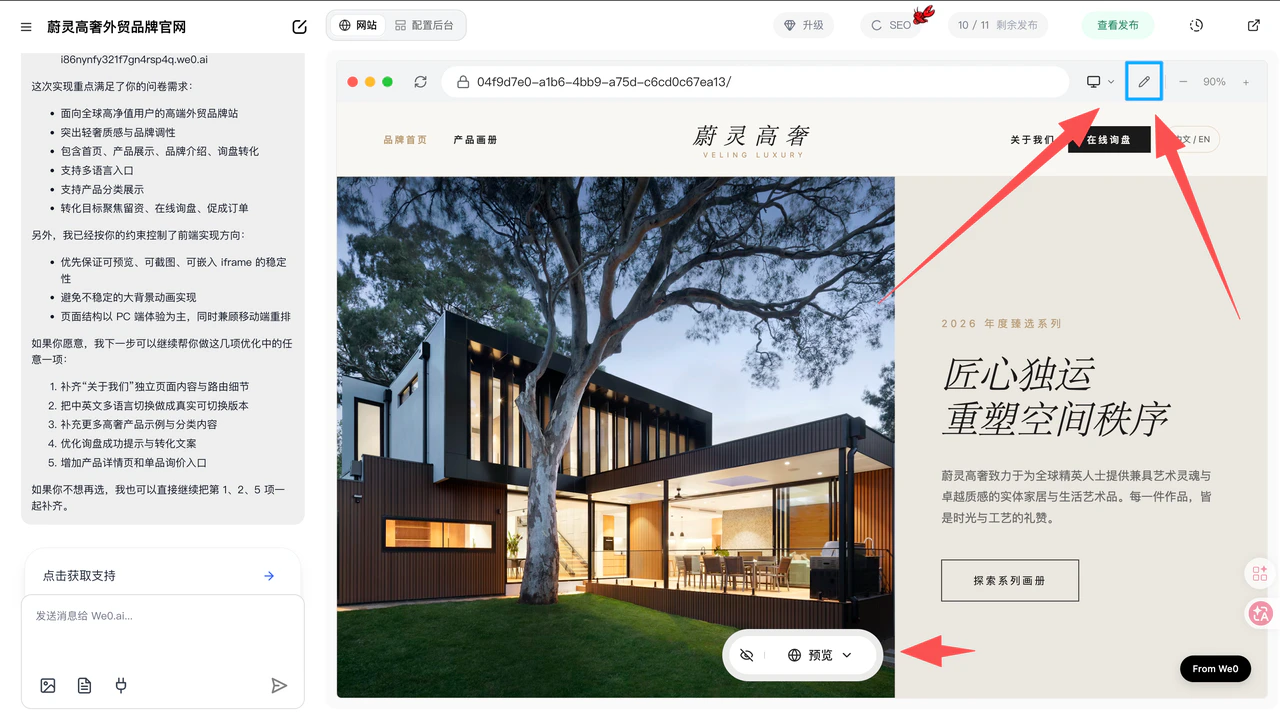
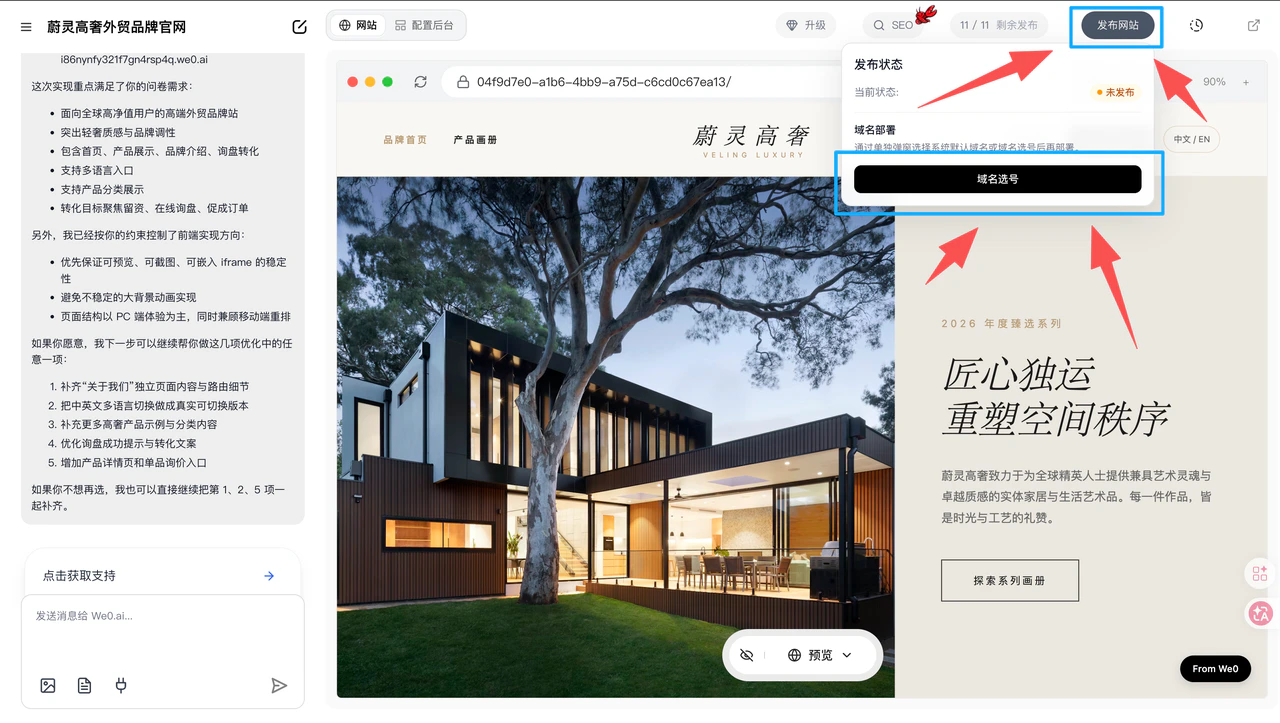
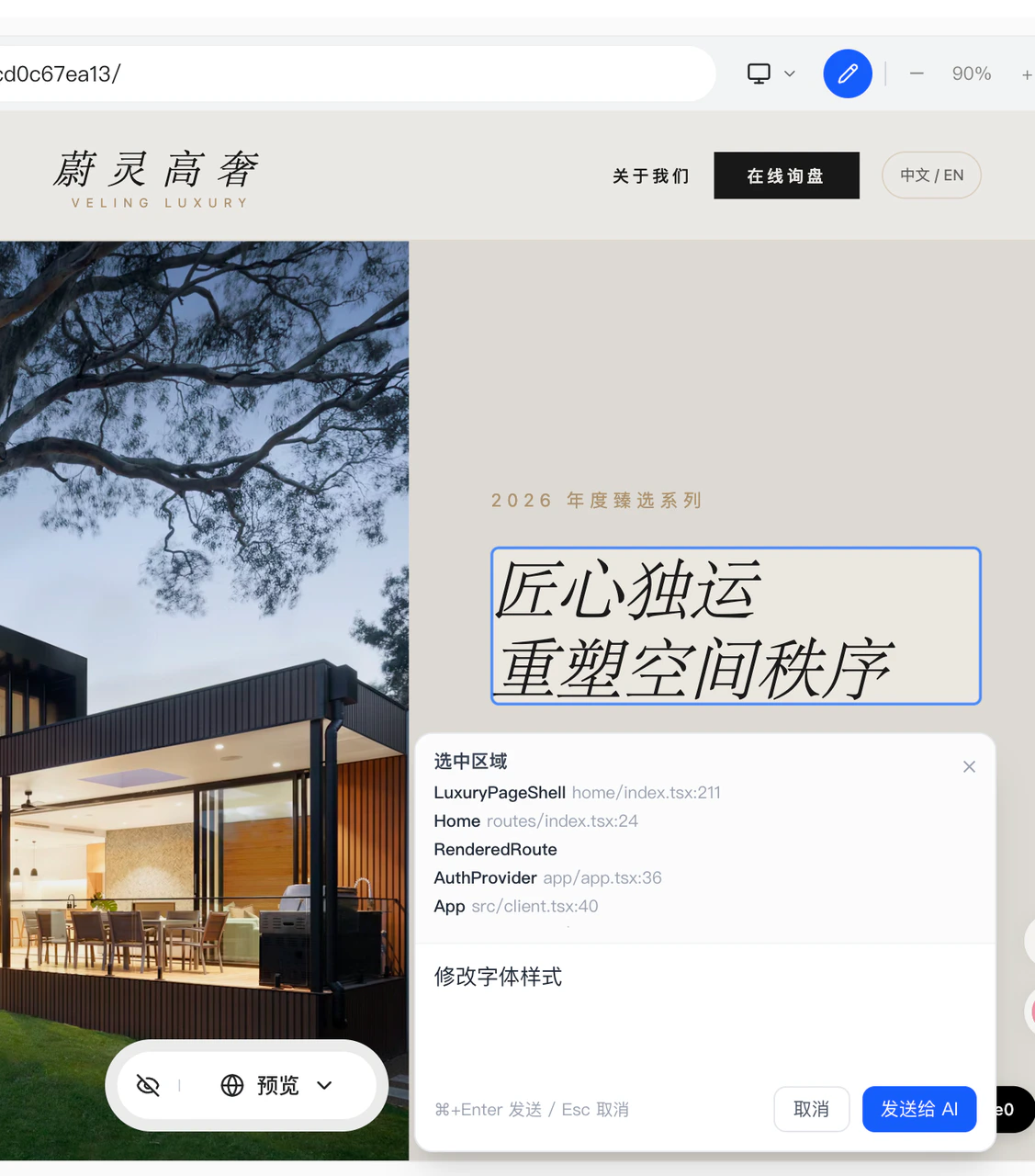 **Once everything looks good, click "Publish Website" to select a domain and publish**
Going live isn't the end — it's the beginning. We recommend doing three things consistently:
1. Regularly update content and case studies
2. Monitor traffic and conversion metrics
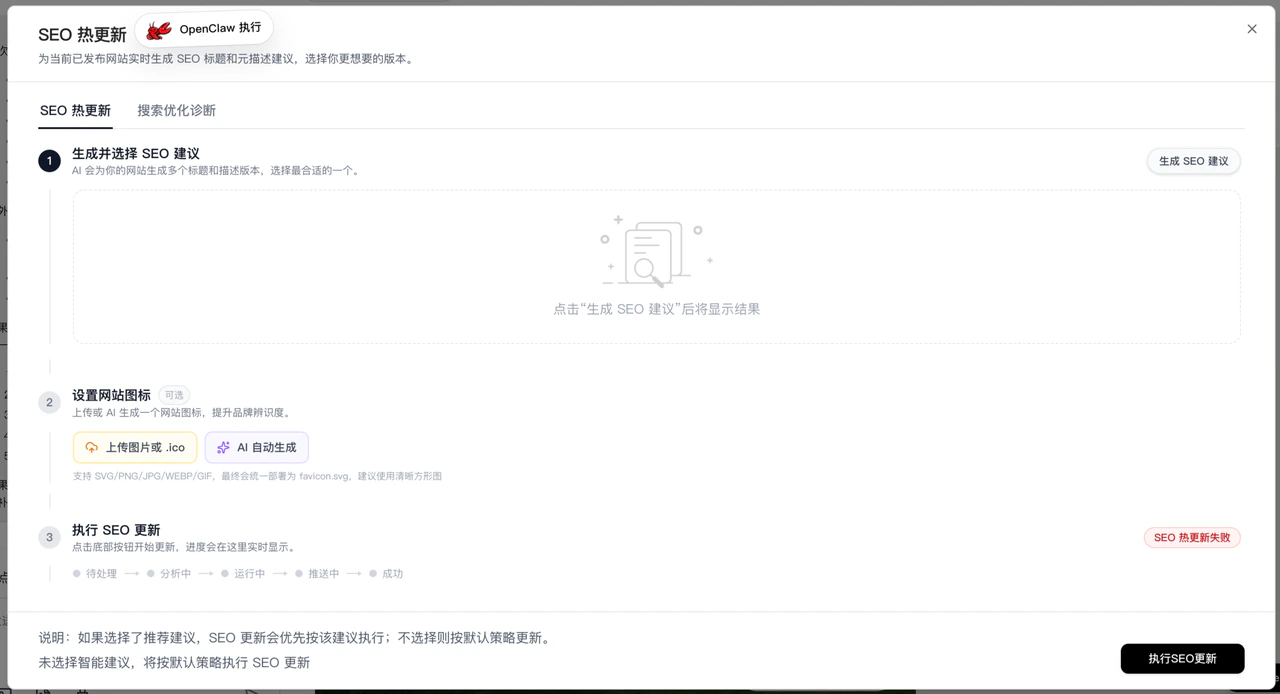
3. Continuously optimize page structure and copy based on SEO and business feedback
**Once everything looks good, click "Publish Website" to select a domain and publish**
Going live isn't the end — it's the beginning. We recommend doing three things consistently:
1. Regularly update content and case studies
2. Monitor traffic and conversion metrics
3. Continuously optimize page structure and copy based on SEO and business feedback