

For example:
- If you generate an e-commerce website, the backend will include product configuration and data management
- If you generate a content website, the backend will include article and category management
- If you generate a showcase corporate site, the backend will include case studies, services, and page information configuration
1. How CMS Maps to Your Website
- The frontend and backend aren’t two separate systems
- Backend content typically corresponds one-to-one with frontend displays
- Future maintenance doesn’t require code changes — you can manage content directly in the backend
For example, an e-commerce site needs to display products, categories, details, and prices — so the backend needs to manage that product data. A blog site displays articles and categories — so the backend needs to configure article content and category structures.
2. How to Access the CMS Backend
We recommend completing this step before your website officially goes into operation — and securely save your backend account credentials.
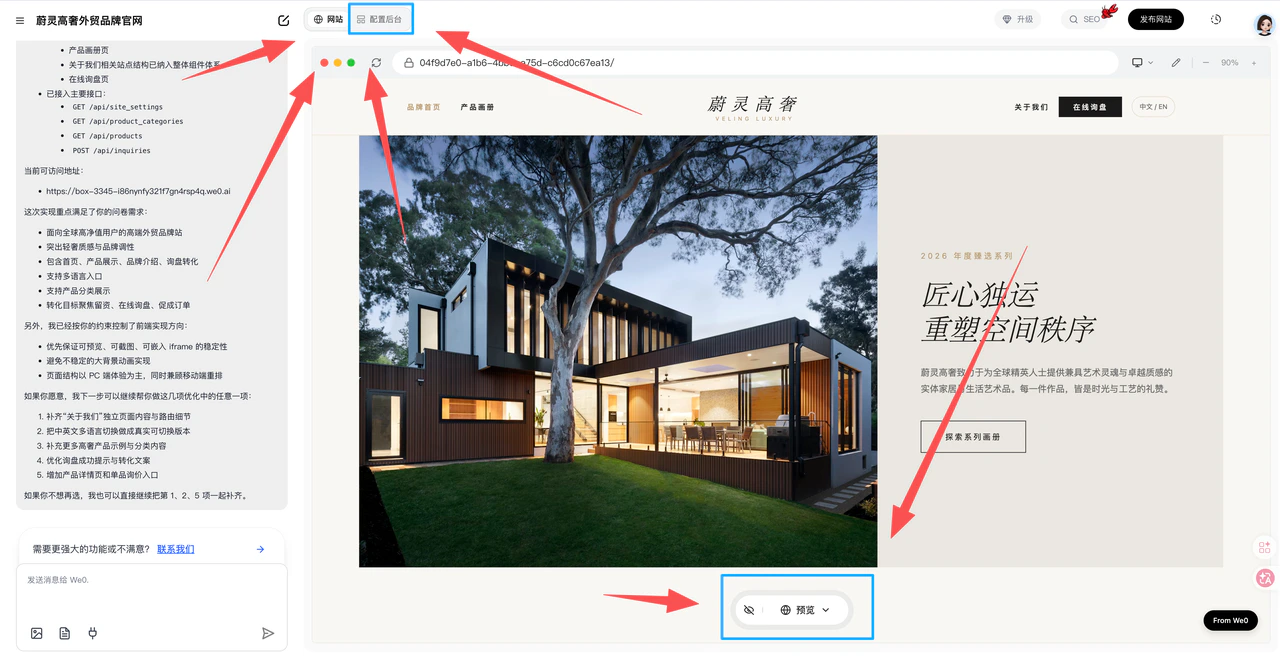
- After project generation, there’s a “Configure Backend” button at the top of the preview page
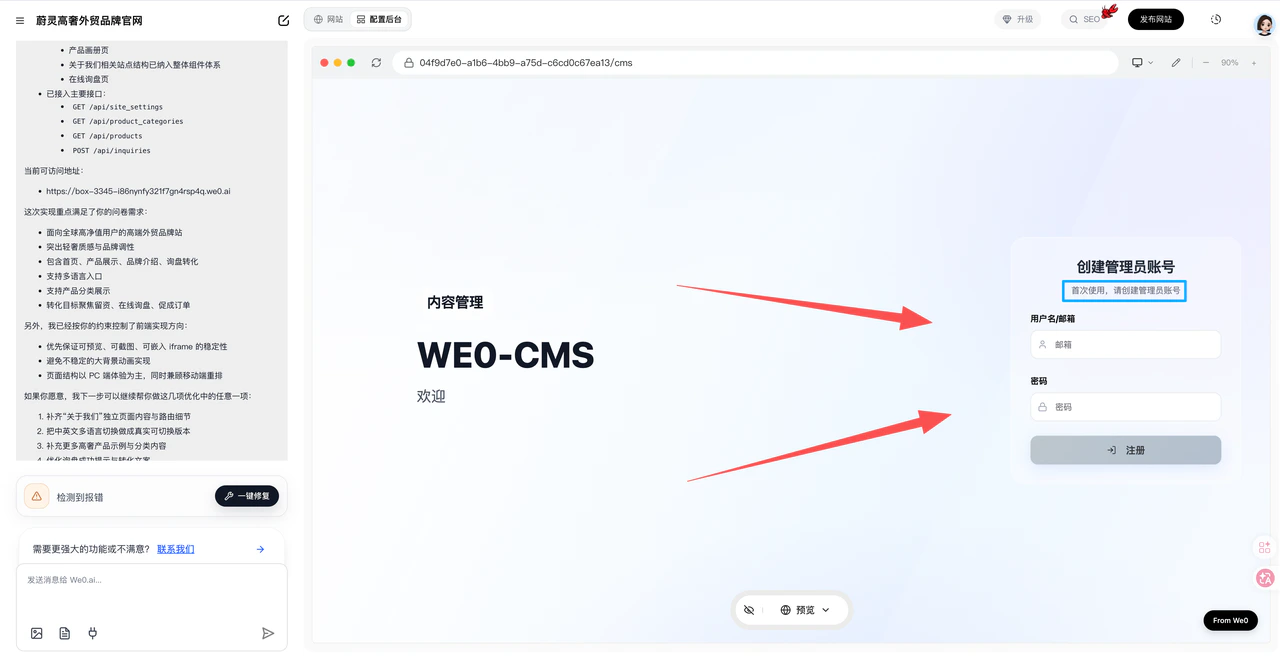
- Enter the CMS backend login page
- First-time login requires account registration — only one account can be registered
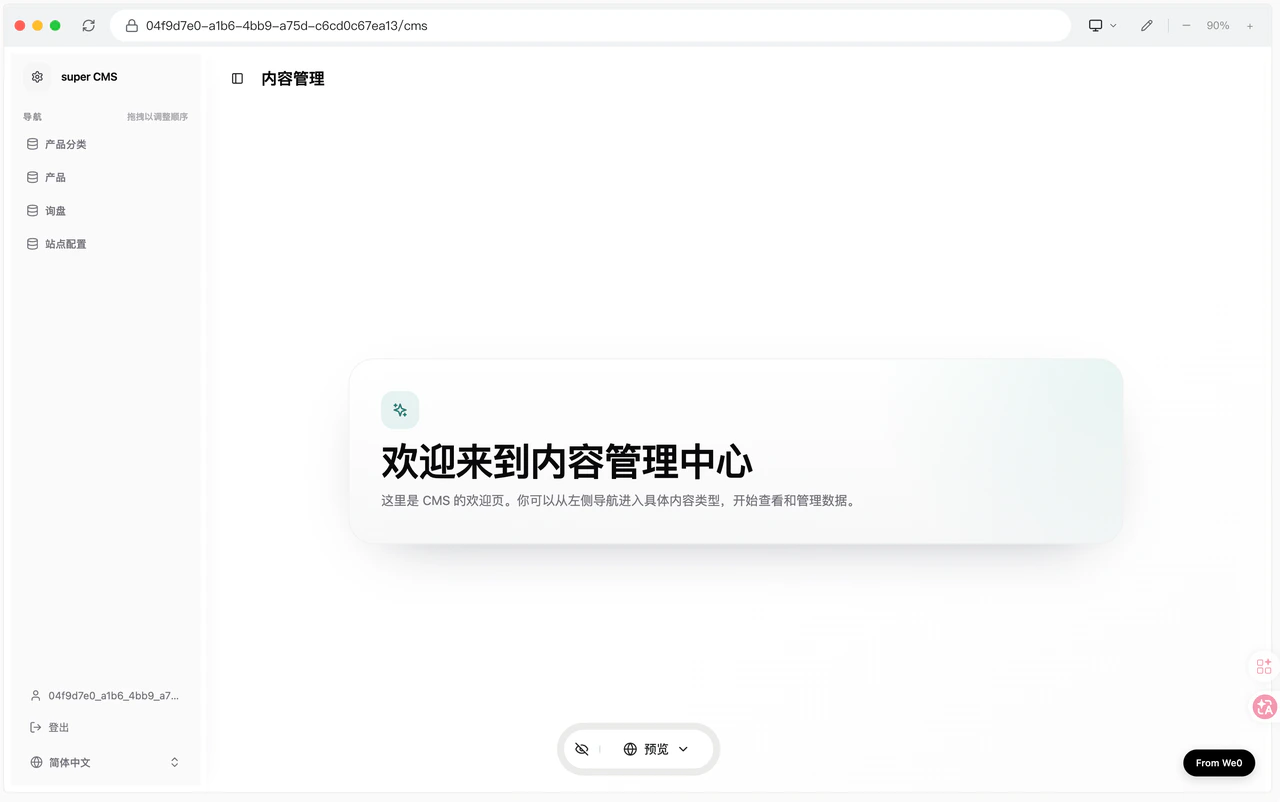
- After registration, you can access the backend
3. What the Backend Can Do
The left sidebar shows module lists — different websites generate different module content.Think of these modules as the data sources corresponding to the frontend display.
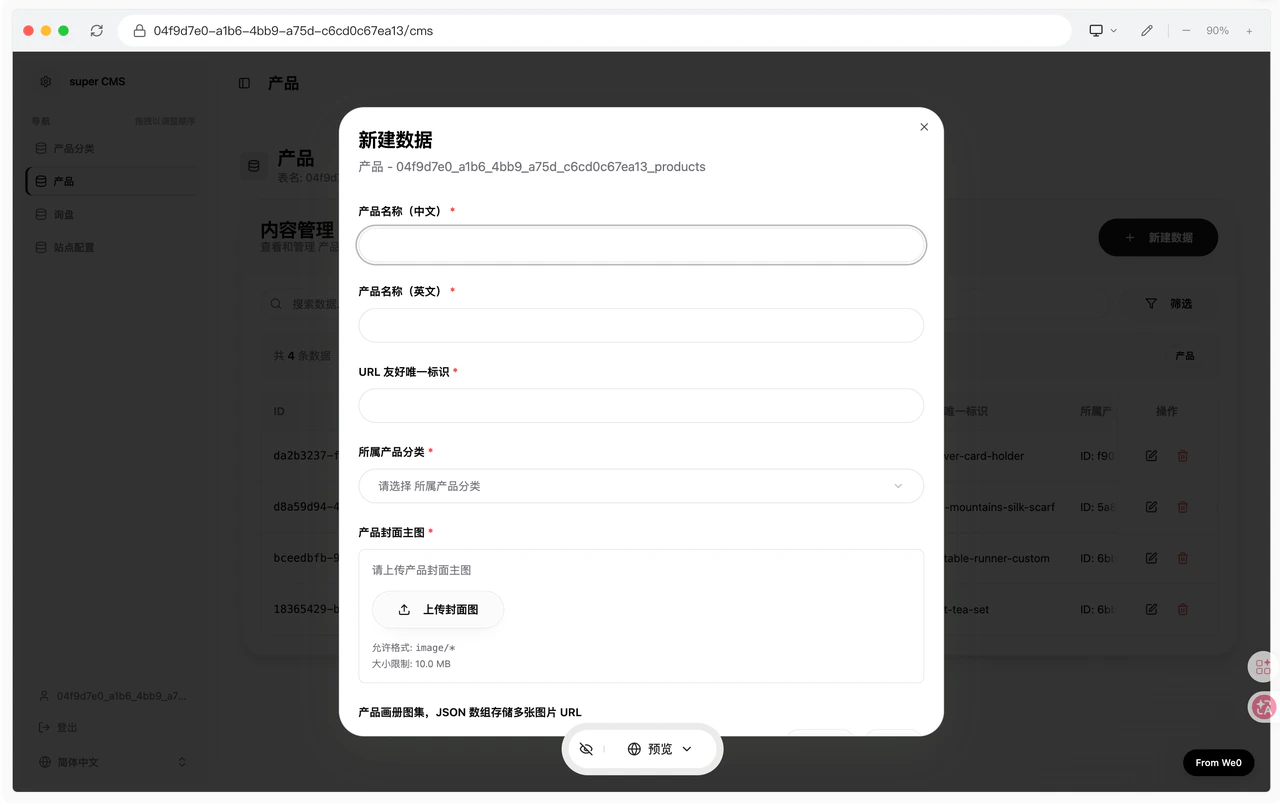
- Search data
- Filter data
- Create new data
- Edit data
- Delete data
- And more
4. The Core Value of CMS
It’s not about “having an extra backend portal” — it’s about making your website maintainable from day one.
- After generation, the website isn’t just viewable — it’s editable
- Content updates don’t always require modifying page code
- Frontend display and backend data can work together for long-term operations
- The website won’t easily become a “static page that can’t be maintained after launch”
For websites that need continuous updates, this is critically important.
5. Which Websites Depend Most on CMS
If your website falls into these categories, it will typically rely more heavily on the CMS backend:
- E-commerce websites
- Product showcase sites
- Content sites
- Blog sites
- Corporate websites
- Service showcase sites
- Case study sites
6. Post-Launch Operations
After your website goes live, the backend typically becomes one of the main daily operations entry points. Common operational tasks include:
- Adding new products or service content
- Updating articles and news
- Adjusting case studies and customer results
- Modifying contact information and form details
- Optimizing basic page display content
When this content can be maintained through the CMS, the website isn’t just “built” — it’s truly in an operational state.
7. Usage Recommendations
- After website generation, access the CMS first to see what modules the system has created for you
- Prioritize getting familiar with modules most relevant to frontend display, such as products, articles, case studies, and services
- If your website will have ongoing content updates, establish backend maintenance habits early
- If you’re building an e-commerce, content, or service site, the CMS will be one of your most frequently used tools